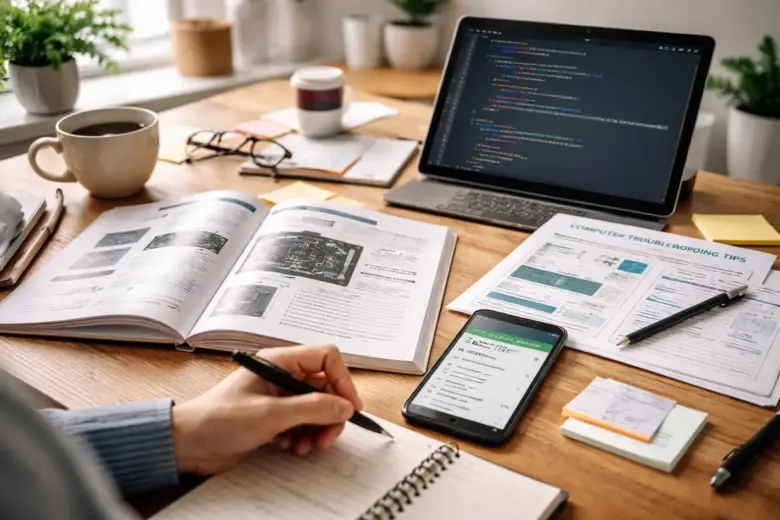
A few years ago, I noticed how often technology was involved in everyday tasks. From managing files on my laptop to troubleshooting a slow smartphone, small tech problems appeared almost daily. I used to think learning technology required expensive online courses or complicated certifications. However, after struggling with a few simple problems that no one around me could resolve, I realized something important: most basic tech skills can actually be learned independently. Instead of waiting for structured lessons, I started experimenting, observing, and solving small issues myself. That decision changed the way I interacted with technology. Over time, I learned essential tech skills without enrolling in any online courses, and the process turned out to be simpler than I expected.
Understanding That Technology Is Mostly Practical
One of the first things I discovered was that technology is mostly practical. Reading about technology can help, but true understanding comes from using it. Early on, I stopped focusing on theory and began focusing on hands-on learning. For example, instead of reading long explanations about file management, I practiced organizing my computer files. I created folders, renamed documents, and learned how to search for files quickly. These small experiments helped me understand how operating systems work in real life.
Technology skills improve when you practice tasks such as:
- Organizing files and folders
- Installing and uninstalling software
- Adjusting system settings
- Managing storage space
- Updating applications
Each simple activity builds confidence and knowledge over time.
Learning Through Everyday Tech Problems
Another method that helped me learn quickly was solving everyday tech problems. Instead of ignoring issues or asking someone else to resolve them, I started treating them as learning opportunities. For instance, one day my laptop started running painfully. Previously, I would have taken it to a repair shop. But that time, I decided to investigate the issue myself.
I began by checking a few common areas:
- Background applications using too much memory
- Too many startup programs
- Full storage or temporary files
- Outdated software updates
After exploring these areas step by step, I discovered that several programs were automatically running at startup. Disabling unnecessary startup apps improved my laptop’s speed significantly. That experience taught me how system performance works, and I gained a skill that still helps me today.
Using Free Resources Instead of Paid Courses
While I did not enroll in online courses, I still used free learning resources available on the internet. The key difference was that I did not follow a rigid curriculum. Instead, I searched for solutions whenever I faced a specific problem.
Free resources that helped me learn included:
- Technology blogs
- User forums
- Official help pages from software companies
- YouTube tutorials explaining practical tasks
When learning this way, it is important to focus on solving a real problem rather than trying to memorize everything. For example, if you are keen to learn how to compress files, simply search for that specific task and practice it immediately.
Learning on demand made the process faster and more enjoyable.
Practicing Small Tech Tasks Every Day
Consistency played a significant role in building my tech skills. I did not dedicate long study hours to technology. Instead, I practiced small tasks every day.
Some examples of daily tech practice included:
- Cleaning unnecessary files from my computer
- Learning keyboard shortcuts
- Organizing bookmarks in my browser
- Exploring phone settings
- Backing up important files
Each activity took only a few minutes, but over weeks and months these small improvements added up. Gradually, tasks that once seemed confusing became simple routines.
Exploring Device Settings to Understand Technology
Most people rarely explore the settings on their devices. However, settings menus contain valuable insights about how technology works.
One day I decided to explore my smartphone settings carefully. I discovered features I had never used before, such as the following:
- Battery optimization tools
- Storage management options
- Privacy and security controls
- Notification customization
- Data usage tracking
By experimenting with these features, I learned how to control my device more effectively. The same principle applies to computers. Exploring system settings helps you understand performance, security, and customization.
Learning File Management Skills Early
One of the most valuable basic tech skills is file management. Poor file organization can cause frustration, especially when documents become difficult to locate. To strengthen my file management skills, I started following a simple structure:
Create clear folder categories
Examples:
- Work documents
- Personal files
- Photos and videos
- Software downloads
Use clear file names
Instead of naming files randomly, I used descriptive titles like the following:
- Budget_Report_March
- Project_Notes_Client_A
- Travel_Photos_2023
Regularly remove unnecessary files
Deleting duplicate or outdated files keeps storage organized. These habits saved me countless hours and improved my productivity.
Learning Basic Troubleshooting Skills
Troubleshooting is one of the most powerful tech skills anyone can learn. Fortunately, the basics are easy to understand.
When facing a tech problem, I started following a simple process:
Step 1: Identify the exact problem
Determine what is not working.
Step 2: Restart the device
Many technical difficulties disappear after restarting.
Step 3: Check connections or settings
Sometimes small configuration issues cause problems.
Step 4: Search for the issue online
Someone else has probably faced the same issue before.
Step 5: Test one solution at a time
Avoid making too many changes at once.
Using this simple method, I solved many common problems without needing expert help.
Improving Digital Organization Skills
Technology is not just about devices; it is also about managing digital information efficiently. I improved my digital organization by creating systems for managing the following:
- Email inboxes
- Browser bookmarks
- Cloud storage
- Notes and documents
For example, I created email folders such as the following:
- Important
- Receipts
- Work communication
- Personal messages
This simple structure made it easier to find information later. Digital organization may seem small, but it significantly improves productivity.
Learning Keyboard Shortcuts for Efficiency
Keyboard shortcuts became one of the most useful tech skills I learned. At first, I ignored them because they seemed unnecessary. However, once I started using them regularly, my efficiency improved dramatically.
Some commonly useful shortcuts include:
- Ctrl + C – Copy
- Ctrl + V – Paste
- Ctrl + Z – Undo
- Alt + Tab – Switch between programs
- Ctrl + S – Save a document
These shortcuts reduce repetitive actions and save time when working on a computer.
Understanding Basic Online Security
As I spent more time learning technology, I realized that security is equally important. Basic tech skills should include protecting personal information online. Some simple practices that improved my online security were the following:
- Using strong, unique passwords
- Enabling two-factor authentication
- Avoiding suspicious links or downloads
- Updating software regularly
- Backing up important files
These small precautions significantly reduce the risk of losing data or facing security problems.
Building Confidence Through Trial and Error
One of the most important lessons I learned during this journey was that mistakes are part of learning technology. Many people avoid experimenting with devices because they fear breaking something. In reality, most basic mistakes can easily be fixed. Over time, trial and error helped me understand how systems respond to different actions.
For example, when experimenting with software settings, I sometimes created problems unintentionally. However, reversing those changes taught me more about how the software worked. Confidence grows when you allow yourself to experiment and learn from mistakes.
Applying Tech Skills to Everyday Life
The real value of learning tech skills appears when you apply them in everyday situations.
Some practical benefits I experienced included the following:
- Fixing slow devices without paying for repairs
- Managing files and documents efficiently
- Improving productivity through shortcuts and organization
- Protecting personal data online
- Helping friends or family solve simple tech problems
These skills also increased my confidence when using new devices or software.
Why Self-Learning Works for Basic Tech Skills
After learning these skills independently, I realized that structured courses are not always necessary for basic technology knowledge.
Self-learning works because
- You focus on real problems instead of theory
- You learn at your own pace
- Practical experience builds stronger understanding
- Curiosity keeps the learning process interesting
While courses can be useful for advanced topics like programming or networking, basic tech literacy can often be developed through everyday exploration.
Conclusion
Learning basic tech skills without online courses turned out to be one of the most rewarding experiences in my digital journey. Instead of relying on structured lessons, I focused on solving real problems, experimenting with device settings, and practicing small tasks regularly. Over time, these simple habits helped me develop valuable skills such as file management, troubleshooting, digital organization, and online security.
The most important lesson I learned is that technology becomes less intimidating when you interact with it actively. By exploring your devices, solving everyday problems, and using free resources when needed, anyone can build essential tech skills. You do not need expensive courses or advanced training to become comfortable with technology. Curiosity, patience, and consistent practice are often enough to get started.
FAQs
1. Can I really learn basic tech skills without online courses?
Yes, many basic tech skills can be learned through hands-on practice, free tutorials, and solving everyday technology problems.
2. What are the most important beginner tech skills?
Key beginner skills include file management, troubleshooting common issues, understanding device settings, basic online security, and digital organization.
3. How long does it take to learn basic tech skills?
With regular practice, most people can learn essential tech skills within a few months by solving everyday technology problems.
4. What is the easiest way to improve tech knowledge?
The easiest method is to practice small tasks daily, explore device settings, and learn solutions whenever a technical problem occurs.
5. Are free tech resources reliable for learning?
Many free resources such as official help pages, technology blogs, and tutorial videos provide accurate information for learning basic technology skills.